CodeBlock
CodeBlock renders application-supplied text or tokens in a named figure. Line marks use insertion, deletion and highlight semantics, a separate glyph column, and translated spoken prefixes. Numbers and glyphs stay out of the accessibility tree. Hozo supplies neither a highlighter nor a diff algorithm.
const paths = [ "old/bin", "tools/bin", "shared/bin",]React Native: no class in this look is Web-only.
Screenshots on Android and iOS
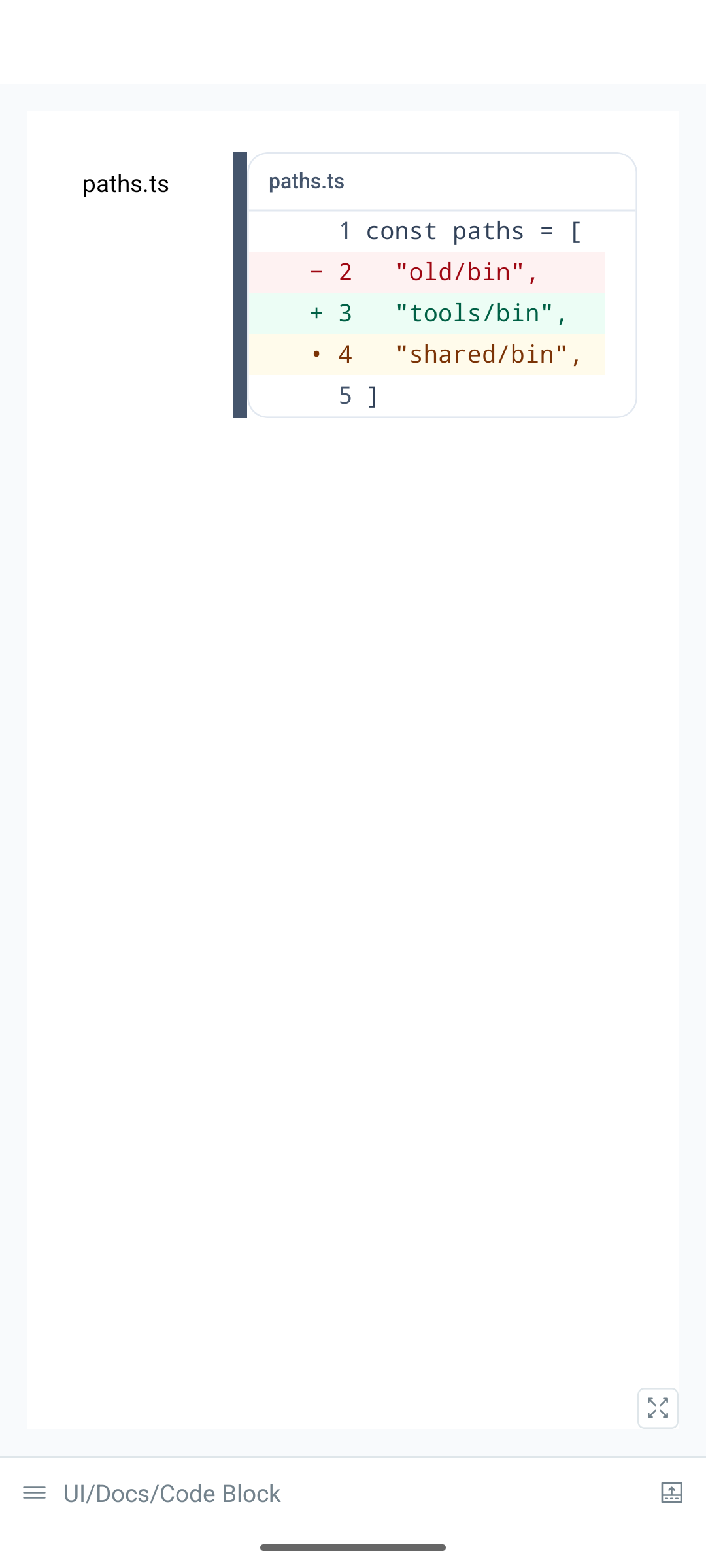
0cfc025)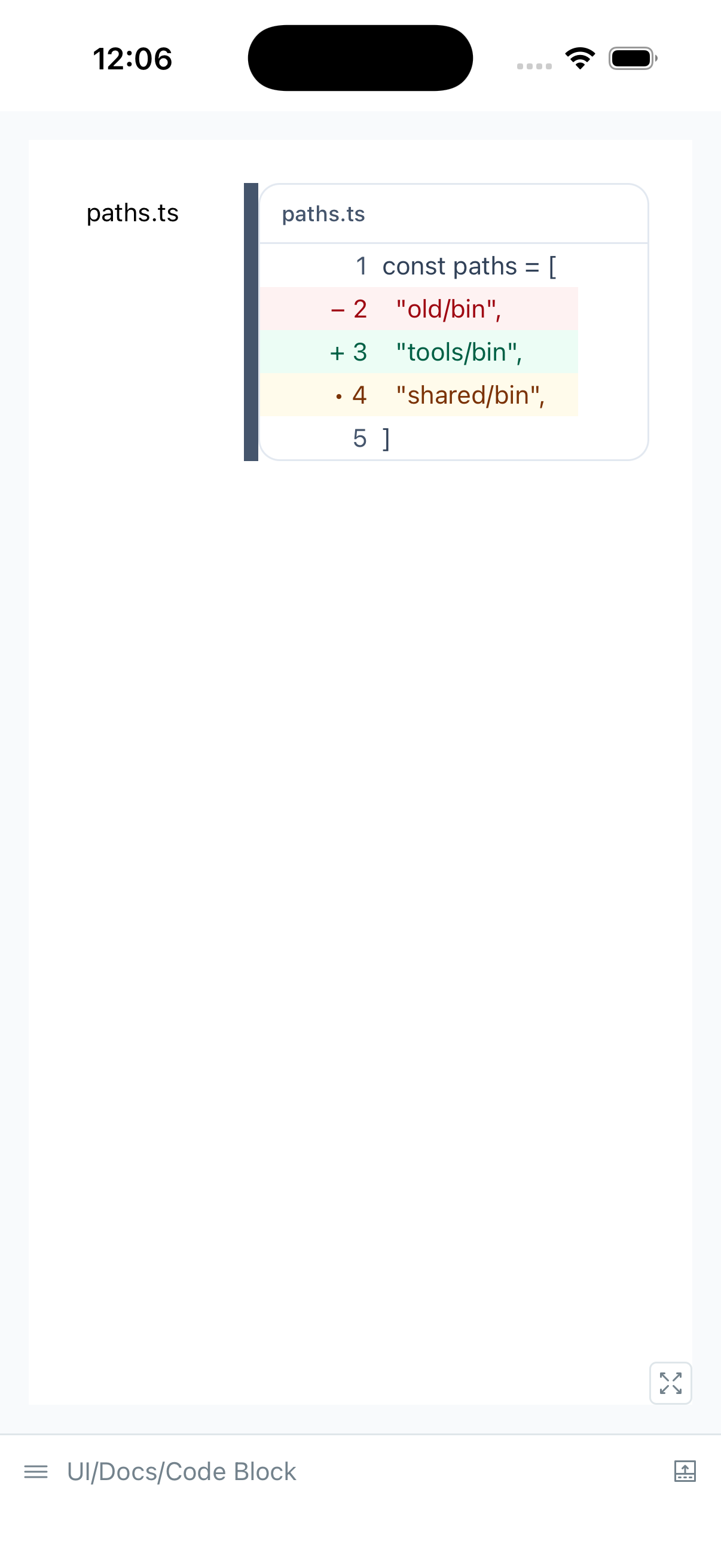
0cfc025)import { type CodeLine, Text } from '@hozo/core'import { CodeBlock, ResizablePane, Stack } from '@hozo/ui'const lines: CodeLine[] = [ { tokens: 'const paths = [' }, { tokens: ' "old/bin",', mark: 'del' }, { tokens: ' "tools/bin",', mark: 'ins' }, { tokens: ' "shared/bin",', mark: 'mark' }, { tokens: ']' },]export function CodeBlockDemo() { return ( <Stack direction="row" className="w-full gap-0"> <ResizablePane side="start" label="Files" min={72} max={160} defaultSize={96} collapsible> <Stack className="p-2"> <Text>paths.ts</Text> </Stack> </ResizablePane> <Stack className="min-w-0 flex-1"> <CodeBlock title="paths.ts" language="ts" lines={lines} lineNumbers copy /> </Stack> </Stack> )}lines: a string, or{ tokens: string | CodeToken[], mark?: 'ins' | 'del' | 'mark' }[].title,language,accessibilityLabel: the caption and accessible name.lineNumbers:trueor{ start: 10 }.wrapwraps long lines; otherwise the block scrolls horizontally. The overflowing region has its own keyboard stop, with the copy button beside it.tabSize: positive integer, default 2. Tab stops cross token boundaries.copy: copies every shown line, including removed lines, without numbers, glyphs or spoken prefixes.{ text: 'replacement' }overrides the copied text.className,lineClassName,gutterClassName,insClassName,delClassName,markClassName,captionClassName,copyClassName: theme the corresponding parts.
Web uses the browser clipboard and hides Copy when it is unavailable. Native requires an application-owned clipboard connection:
<CodeClipboardProvider value={{ writeText: clipboard.setStringAsync }}> <CodeBlock title="PATH" lines={lines} copy /></CodeClipboardProvider>Import CodeClipboardProvider from @hozo/core or @hozo/ui. Hozo imports no
Native clipboard module. Copy feedback uses Hozo’s i18n and announcement
connection. Without a provider the Native copy action stays hidden.
For plain rendering, CodeLines is available from @hozo/typography and
@hozo/core. A token has text, optional color (a string or a theme map),
and optional italic, bold, underline. Light/dark token maps follow the
system scheme; theme explicitly selects a key. The application’s highlighter
theme owns token contrast. Hozo’s frame, gutter and mark colours use UI tokens.
Native class props use the existing candidate resolver and its reported variant
limitations; this component adds no new Native CSS support. Token theme maps
are selected directly through the shared colour-scheme store.
import { fromShiki } from '@hozo/typography/code/shiki'import { parseCodeMeta } from '@hozo/typography/code/meta'import { markCodeLines } from '@hozo/typography/code/model'const meta = parseCodeMeta('tsx', 'title="App.tsx" {2} ins={4} wrap')const lines = markCodeLines(fromShiki(tokens), meta.marks)fromShiki is structurally typed and imports no Shiki code. For multiple
themes pass { themes: { light: 'light', dark: 'dark' } }; values name Shiki’s
--shiki-* slots. Fence metadata supports showLineNumbers,
startLineNumber=10, insertion/deletion ranges and preserves unknown tokens.
Markdown integration remains application-owned.
This site’s Docs render ordinary Markdown and MDX fences through one shared CodeBlock connection. No per-page import or special flag is needed. Titles, line numbers and semantic line marks come from the fence metadata:
const stable = trueconst highlighted = trueconst added = 'new'const removed = '</script><script>alert(1)</script>'Highlighting runs at build time. Code remains readable before JavaScript loads; the shared client connection enables Copy and keyboard overflow. Copy includes all original lines without numbers, glyphs or spoken prefixes. Colours follow the Docs theme selector, including when it differs from the OS scheme. UI example sources and build-time compiler listings use the same connection.
Outside Docs, the landing’s explicit static MDX connection remains available.
Import MdxCodeBlock and add hozo to select a wrapped, copy-free fence:
import { MdxCodeBlock } from '../components/MdxCodeBlock.tsx'```tsx hozo title="App.tsx" showLineNumbers startLineNumber=7 {2} ins={3} del={4} wrapconst stable = trueconst highlighted = trueconst added = 'new'const removed = 'old'```This explicit static connection highlights with the landing palette and needs
no client directive. Both connections turn unknown languages into plain text
and retain unknown metadata without executing it.
Line ranges refer to physical source lines; startLineNumber changes only the
displayed numbers. Outside Docs, other fences keep their existing renderer.
The no-script MDX probe also exercises a fence nested inside a blockquote.
Build-time CodeLines, or a wrapped copy-free CodeBlock, can render in Astro
without a client directive. The default scrolling block and Copy need hydration
for overflow observation and clipboard handling. Static markup alone does not
install those interactions.
Native renders one accessible Text per line, with nested token text. Physical-device
VoiceOver/TalkBack and frame performance remain unverified, as listed in
known limitations. The pinned
Android emulator measurement and reproduction procedure
records initial display, whole-block updates and scrolling separately, including
failed observations. Keep Native blocks small and avoid assuming that hundreds
of tokenized lines can update within one display frame; measure the actual
application’s token density and update rate. The first implementation does not
virtualize. Ins and Del use underline and
line-through on Native. On Web they render <ins> and <del>; Strikethrough
continues to render <s>.